Best Motherboard for 9800X3D in 2026: 5 AM5 Boards Worth Buying
Last updated: October 2026
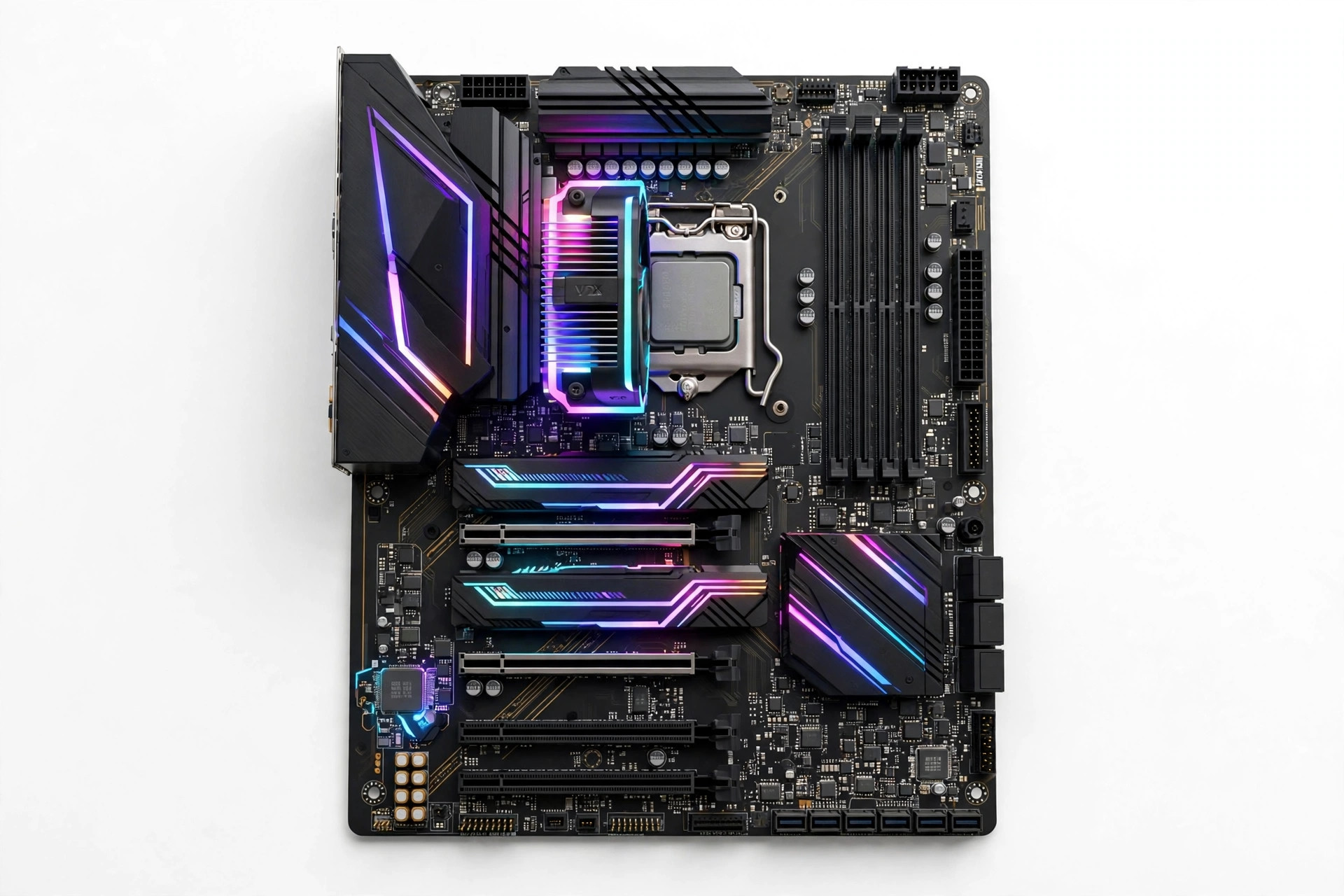
Quick answer: The best motherboard for the Ryzen 7 9800X3D is the MSI MAG X870 Tomahawk WiFi — strong VRMs, full PCIe 5.0 support, and a sane price. Enthusiasts should look at the ASUS ROG Strix X870E-E Gaming WiFi, while budget builders can't go wrong with the Gigabyte B650 Aorus Elite AX V2. Any AM5 board works, but VRM quality and BIOS maturity matter.
By PC Bottleneck Calculator · Reviewed October 2026 · Our methodology
What the Ryzen 7 9800X3D actually needs from a motherboard
The 9800X3D is a 120W, 8-core chip — it doesn't need an extreme VRM the way a 16-core Ryzen 9 9950X does. What it does need:
- AM5 socket — non-negotiable. The 9800X3D does not fit AM4 boards.
- A BIOS with AGESA 1.2.0.2a or newer — older BIOS revisions may not boot a 9000-series CPU at all. Most boards manufactured after late 2024 ship with a compatible BIOS, and nearly all support BIOS Flashback (update without a CPU installed).
- Decent VRMs — any modern 12+ phase design handles 120W comfortably. You don't need a $400 board for power delivery alone.
- DDR5 — AM5 is DDR5-only. The sweet spot is DDR5-6000 CL30, which syncs 1:1 with the memory controller.
So why do board prices range from $130 to $700? Connectivity: PCIe 5.0 lanes, USB4 ports, WiFi 7, 5Gb Ethernet, and the number of M.2 slots. Buy the connectivity you'll use in the next 3–4 years, not the VRM you'll never stress.
The 5 best motherboards for 9800X3D
| Pick | Board | Chipset | Form factor | Best for |
|---|---|---|---|---|
| 1 | MSI MAG X870 Tomahawk WiFi | X870 | ATX | Best overall |
| 2 | ASUS ROG Strix X870E-E Gaming WiFi | X870E | ATX | Enthusiasts |
| 3 | Gigabyte B650 Aorus Elite AX V2 | B650 | ATX | Best value |
| 4 | ASRock B650M Pro RS WiFi | B650 | Micro-ATX | Budget / compact |
| 5 | ASUS TUF Gaming X870-Plus WiFi | X870 | ATX | Balanced mid-range |
1. MSI MAG X870 Tomahawk WiFi — best overall
Specification details
| Category | Specification |
|---|---|
| Chipset | AMD X870 |
| Socket | AM5 |
| VRM | 14+2+1 phases |
| Memory | 4× DDR5, up to 8000+ MT/s (OC) |
| PCIe x16 | PCIe 5.0 |
| M.2 slots | 3 (1× PCIe 5.0) |
| Networking | WiFi 7, 5Gb Ethernet |
| USB | USB4 (40Gbps) Type-C |
Our analysis: The Tomahawk hits the enthusiast checklist — PCIe 5.0 GPU slot, a Gen5 M.2 slot, USB4, WiFi 7 — at a mid-range price. MSI's BIOS is mature and its memory compatibility is among the best for hitting DDR5-6000 EXPO reliably. Unless you need the extra lanes of X870E, this is where the smart money goes.
2. ASUS ROG Strix X870E-E Gaming WiFi — for enthusiasts
Specification details
| Category | Specification |
|---|---|
| Chipset | AMD X870E |
| Socket | AM5 |
| VRM | 18+2+2 phases |
| Memory | 4× DDR5, up to 8000+ MT/s (OC) |
| PCIe x16 | 2× PCIe 5.0 (x8/x8 capable) |
| M.2 slots | 5 (2× PCIe 5.0) |
| Networking | WiFi 7, 5Gb Ethernet |
| USB | USB4 (40Gbps) Type-C |
Our analysis: X870E's advantage is lanes: dual Gen5 GPU-capable slots and more Gen5 M.2 sockets for multi-drive workstation builds. The Strix -E is the board for builders who'll actually populate those slots — dual GPUs for local AI work, or three-plus NVMe drives. For pure gaming, it's luxury; for a workstation that games, it's justified.
3. Gigabyte B650 Aorus Elite AX V2 — best value
Specification details
| Category | Specification |
|---|---|
| Chipset | AMD B650 |
| Socket | AM5 |
| VRM | 12+2+1 phases |
| Memory | 4× DDR5, up to 7600 MT/s (OC) |
| PCIe x16 | PCIe 4.0 |
| M.2 slots | 3 (PCIe 4.0) |
| Networking | WiFi 6E, 2.5Gb Ethernet |
Our analysis: The 9800X3D doesn't care about PCIe 5.0 for gaming — no current GPU saturates PCIe 4.0 x16, and the performance difference is within margin of error. This board gives you a solid VRM, good BIOS support, and WiFi 6E for roughly half the Tomahawk's price. The V2 revision fixed the first version's memory quirks. Pair it with DDR5-6000 and you'll never know you "cheaped out."
4. ASRock B650M Pro RS WiFi — budget and compact
Specification details
| Category | Specification |
|---|---|
| Chipset | AMD B650 |
| Socket | AM5 |
| VRM | 8+2+1 phases |
| Memory | 4× DDR5, up to 7200 MT/s (OC) |
| PCIe x16 | PCIe 4.0 |
| M.2 slots | 2 (PCIe 4.0) |
| Networking | WiFi 6E, 2.5Gb Ethernet |
Our analysis: Micro-ATX for smaller cases and smaller budgets. The 8-phase VRM is the lightest here but still handles a 120W 9800X3D without thermal issues in a case with basic airflow. You give up the third M.2 slot and some USB ports. For a focused gaming build, that's a fine trade at this price.
5. ASUS TUF Gaming X870-Plus WiFi — balanced mid-range
Specification details
| Category | Specification |
|---|---|
| Chipset | AMD X870 |
| Socket | AM5 |
| VRM | 16+2+1 phases |
| Memory | 4× DDR5, up to 8000+ MT/s (OC) |
| PCIe x16 | PCIe 5.0 |
| M.2 slots | 3 (1× PCIe 5.0) |
| Networking | WiFi 7, 2.5Gb Ethernet |
Our analysis: ASUS's TUF line is the durability play — military-grade component marketing aside, these boards have excellent long-term reliability records. You get X870's modern connectivity (PCIe 5.0, WiFi 7) with a stronger VRM than the Tomahawk, at a small premium. A good pick if you keep boards for 5+ years.
Chipset cheat sheet: X870E vs X870 vs B650
| Feature | X870E | X870 | B650 |
|---|---|---|---|
| PCIe 5.0 GPU slot | Yes (dual capable) | Yes | No (Gen4) |
| Gen5 M.2 slots | Up to 2–3 | 1 | 0 |
| USB4 | Yes | Yes | No |
| 9800X3D gaming perf. | Same | Same | Same |
| Typical price | $300+ | $200–300 | $130–200 |
The bottom row is the point: chipset doesn't change gaming performance. It changes connectivity and future-proofing. Buy B650 if the budget is tight, X870 for the balanced modern feature set, X870E only if you'll use the lanes.
BIOS: the one thing you must check
A 9800X3D in a board with an ancient BIOS = a PC that won't POST. Before buying:
- Check the board's CPU support list for the 9800X3D and note the minimum BIOS version.
- Prefer boards with BIOS Flashback (USB BIOS update without CPU/RAM) — all five picks above have it.
- Update to the latest stable BIOS, not beta, unless you need a specific fix.
This takes ten minutes and prevents the most common "my new build won't boot" panic.
Mini-ITX: 9800X3D in small form factor builds
Building in an NR200, Terra, or similar SFF case? The 9800X3D's 120W TDP makes it one of the best flagship CPUs for small builds — it sips power compared to Intel's 250W+ flagships. Two boards stand out:
- ASUS ROG Strix B650E-I Gaming WiFi — PCIe 5.0 GPU slot and Gen5 M.2 in Mini-ITX, strong VRM for the size, the default SFF AM5 pick.
- MSI MPG B650I Edge WiFi — slightly cheaper, still handles the 9800X3D comfortably, good memory support.
SFF caveat: VRM thermals matter more in cramped cases with limited airflow. Stick to the boards above (both have real heatsinks, not decorative ones) and ensure at least some direct airflow over the VRM area.
Troubleshooting: board won't POST with the 9800X3D
The most common new-build panic, and it's almost always the BIOS:
- No display, fans spin: BIOS too old for Ryzen 9000. Use BIOS Flashback: download the latest BIOS to a FAT32 USB stick, plug into the marked port, hold the Flashback button for 3 seconds, wait for the LED to stop blinking.
- DRAM debug LED lit: memory training issue. Try one stick in A2, enable EXPO after first successful boot, or check the board's QVL list for your kit.
- Boots but unstable: update to the latest stable BIOS (not beta), then clear CMOS and reconfigure. Early AGESA versions had USB and idle-power quirks on 9000-series.
Nine times out of ten, it's step one. This is why every board on our list has BIOS Flashback — it's not a luxury feature, it's insurance.
Once the board is chosen, verify the 9800X3D and your GPU are a balanced pair in our bottleneck calculator.
Sources & further reading
- AMD official site — Ryzen processor specifications and platform documentation.
- ASUS official site — Motherboard specifications and BIOS/support resources.
Frequently Asked Questions
Does the 9800X3D work on B650?
Yes, perfectly. The 9800X3D is a 120W chip that any decent B650 board's VRM handles easily. You lose PCIe 5.0 and USB4 versus X870, but gaming performance is identical.
What RAM speed is best for 9800X3D?
DDR5-6000 CL30. This matches the Infinity Fabric's ideal 1:1 ratio (3000MHz FCLK) on Zen 5. Faster kits (6400+) can actually perform worse if they force a 1:2 memory controller ratio.
Do I need to update the BIOS for 9800X3D?
Probably. Boards need AGESA 1.2.0.2a or newer for Ryzen 9000 CPUs. Use BIOS Flashback before installing the CPU if the board's been on a shelf.
Is X870E worth it over X870 for gaming?
No, for gaming alone. X870E buys extra PCIe 5.0 lanes for multi-GPU or multi-Gen5-SSD workstation builds. Gamers should put the $100+ difference toward the GPU or a better monitor.
Can I reuse my AM4 cooler on AM5?
Usually yes — most cooler manufacturers offer free AM5 mounting kits, and the socket keep-out zone is similar. Check your cooler's compatibility list; the 9800X3D runs cool enough that a good tower air cooler suffices.
Methodology note: Board rankings are based on manufacturer specifications (VRM design, chipset features, connectivity) and platform maturity, not hands-on testing — we don't operate a test lab. Chipset gaming-performance parity is established public knowledge; always verify the BIOS version supports Ryzen 9000 before purchase.